

Blog > New Tools & Features For Your Website - Spring 2026 Update


Hello everyone! We hope 2026 has been treating you all well. Here at Create, we’ve rolled out a wave of new features and improvements for Create in 2026 so far. These improvements will give you increased design options, enhanced website functionality, time-saving features and more!
Here’s what’s new:
Expanded Template Styles
New Integrations
Multi-Account Login Experience
Advanced Form Editing
Sections
Shop Content Builder Tools (Early Access)
Let’s dive into the details 👇
Expanded Template Styles
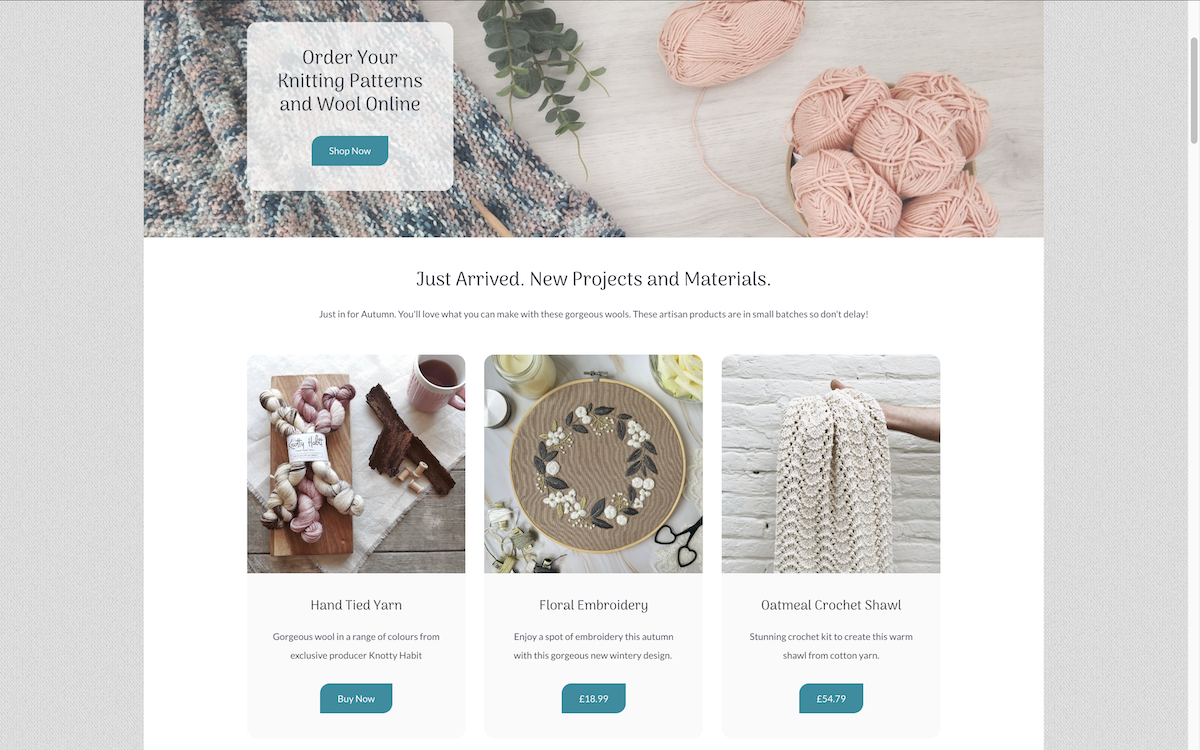
The benefit: More control over the overall style and personality of your website.
You can now set default styles across your template for:
Corner styles
Button styles
Card styles
Divider styles
Link styles
These settings apply site-wide, making it easier to keep your design consistent without manually updating individual sections.
Use case: Give your website a softer, more modern feel with rounded corners and refined buttons, or create a cleaner, more structured layout using sharper cards and dividers - all across your entire site in just a few clicks.
These settings can be found in the Design area, in the Styles section.
New Integrations
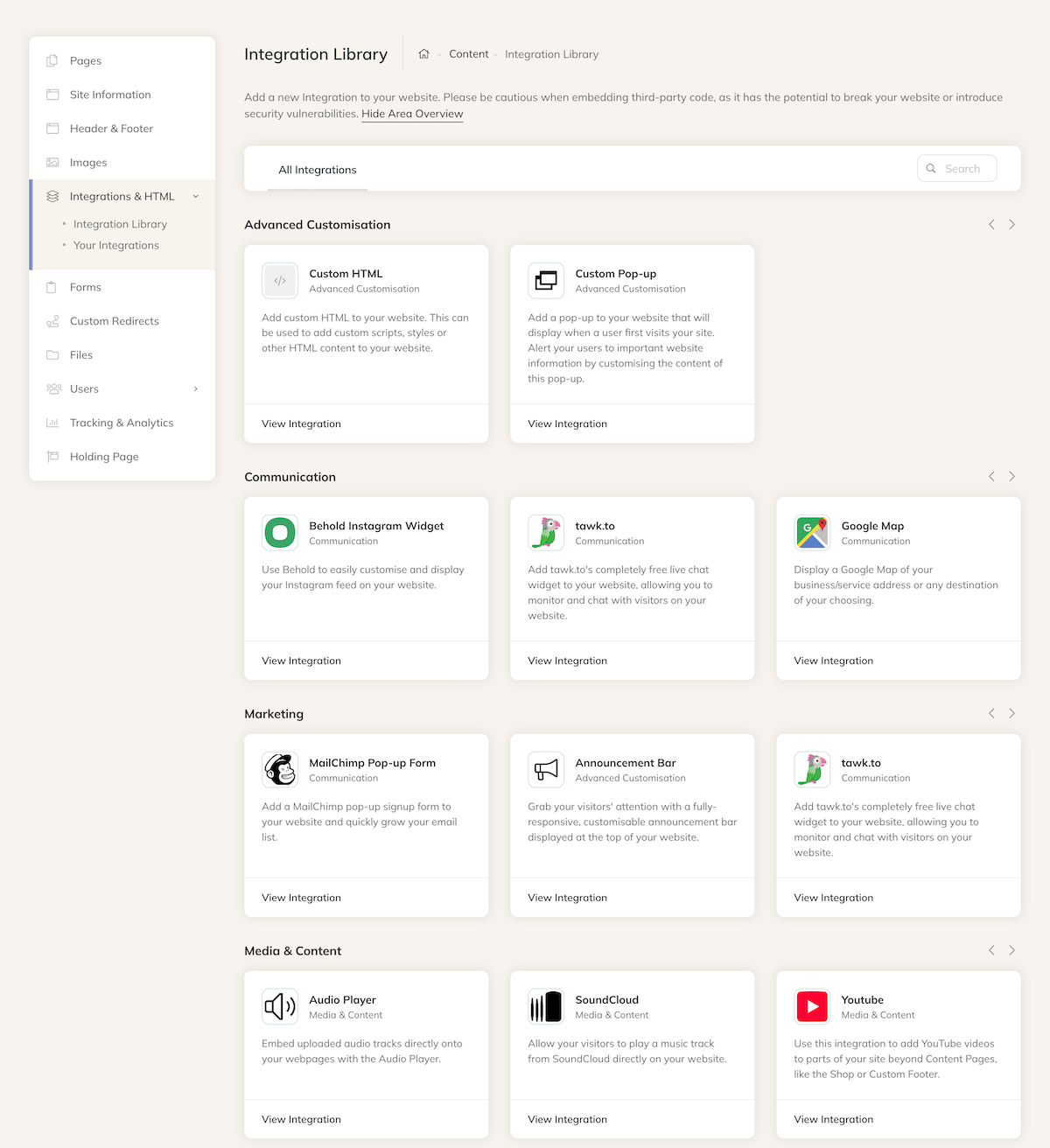
The benefit: More ways to connect your website with the tools and services you already use.
We’ve added a range of new integrations and embeddable widgets within the Integrations & HTML area, including:
These additions make it easier to enhance your website with interactive features, customer communication tools, and promotional content - without needing complex custom code.
Use case: Add a live chat widget to quickly answer customer questions, embed a booking calendar for appointments or accommodation, promote offers with announcement bars, or display brochures and catalogues using interactive flipbooks.
These can all be added via the Integrations & HTML area of your Create account.
Improved Multi-Account Login Experience
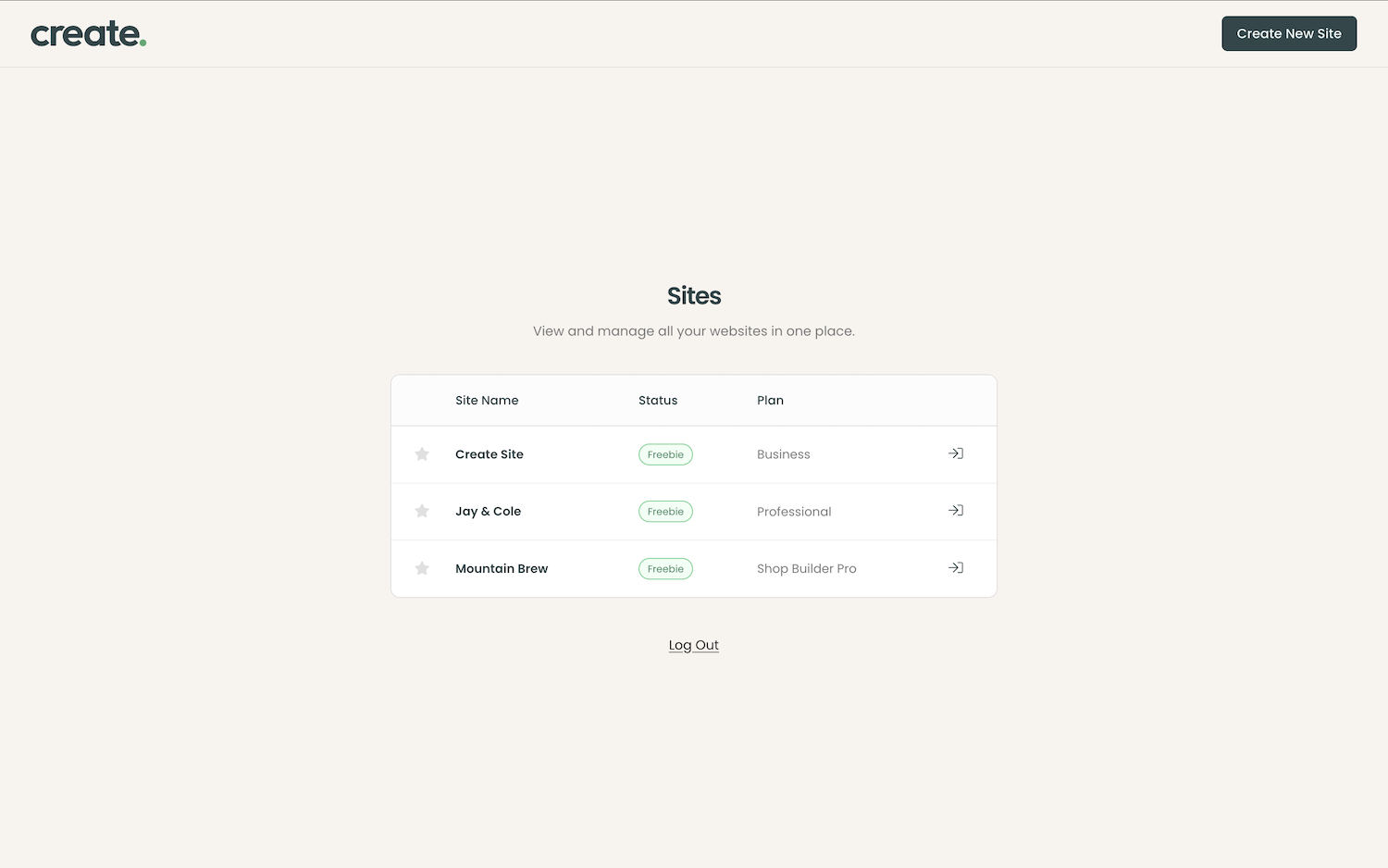
The benefit: Simpler, more flexible account access.
We’re gradually moving away from username-based logins, allowing you to sign in using your email address instead. If you manage multiple Create accounts under the same email address, you’ll also be able to switch between them much more easily, without needing to repeatedly log in and out.
Very soon, we will be introducing Single Sign-On (SSO), giving you the option to log in using supported accounts such as your Google or Facebook account for an even quicker and more convenient sign-in experience.
Use case: This is especially useful for designers, developers, or businesses managing multiple websites. It makes moving between accounts quicker and creates a much smoother handover process when building sites for clients.
If you regularly build websites for clients using Create, we’d love to hear from you! Get in touch to find out more about joining our Design Partners programme.
You can learn more about this update here.
Advanced Form Editing
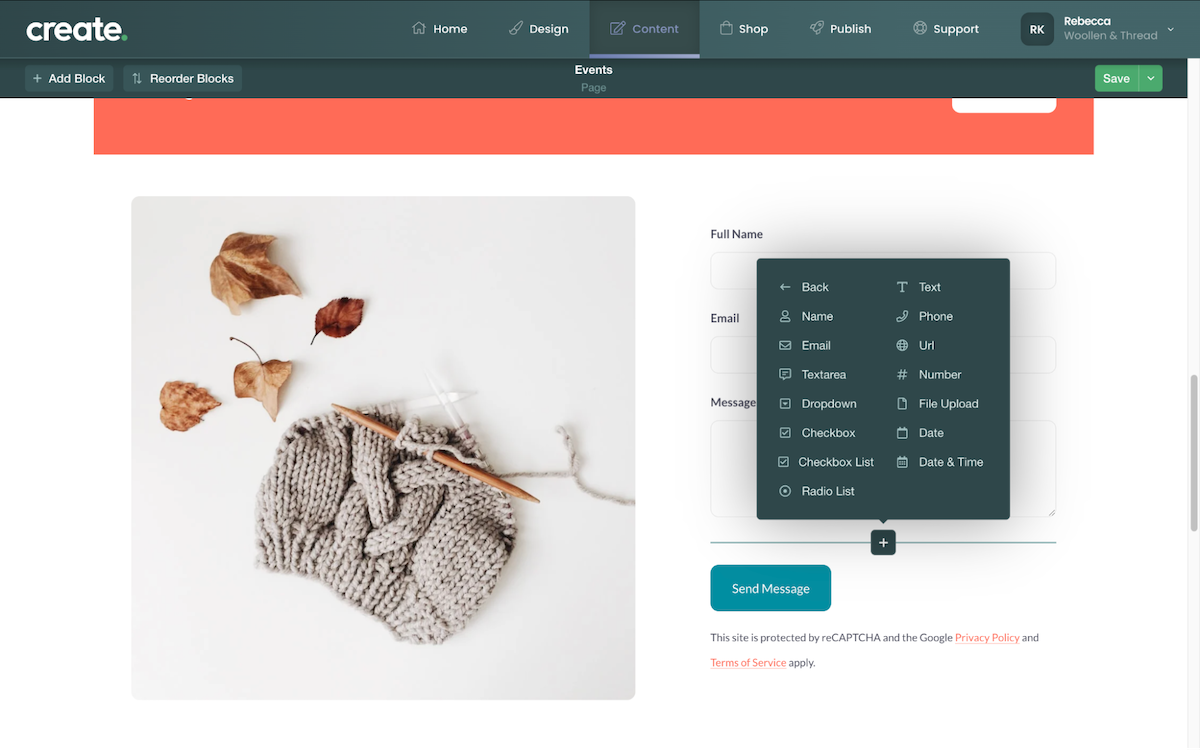
The benefit: Easily create bespoke custom forms to suit a range of different needs.
Create offers a number of preset Form blocks that are great for adding to pages to collect basic information from your website visitors. But there might be instances where you wish to offer a more bespoke form with specific questions and fields. With our Advanced Form Editing, for Professional and above plans, you can add a range of different fields to our Form Blocks to build a very bespoke form for all kinds of different situations.
You can access these new form elements by editing a page with a form block in place and clicking the + icon, which will be displayed when hovering over a form.
Use case: If you need to gather specific details from your customers/clients, for a quote or for bespoke product details, you can easily add the required data fields you need.
Sections
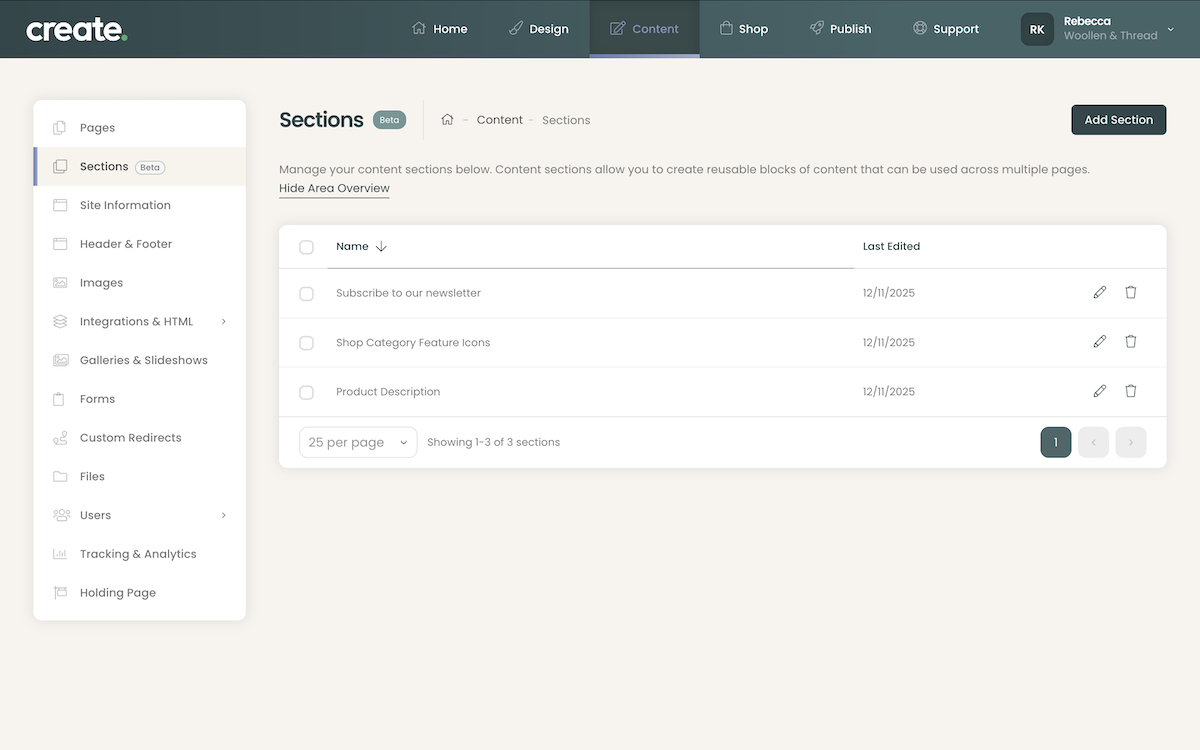
The benefit: Add regularly used content more quickly and easily than before, with the ability to update multiple instances of content at once.
Sections allow you to create reusable groups of content blocks that can be used across multiple pages and areas of your website. When you make a Section, the content within it is locked and linked. Or it can be detached to quickly customise.
You can use sections to add content on multiple pages and areas of your website. If you edit the original Section, any instances of that section added to pages will also be updated.
Sections can also be used to save preset arrangements of blocks and content. Once added to a page, you can detach the section, and they are editable individually, like regular Content Blocks.
Use case: You could set up a testimonial section, which you could add to various pages/areas across your website. As you continue to receive new testimonials, you can update the section once and anywhere you have added that section will also be updated to show the new testimonial content.
Shop Content Builder Tools (Early Access)
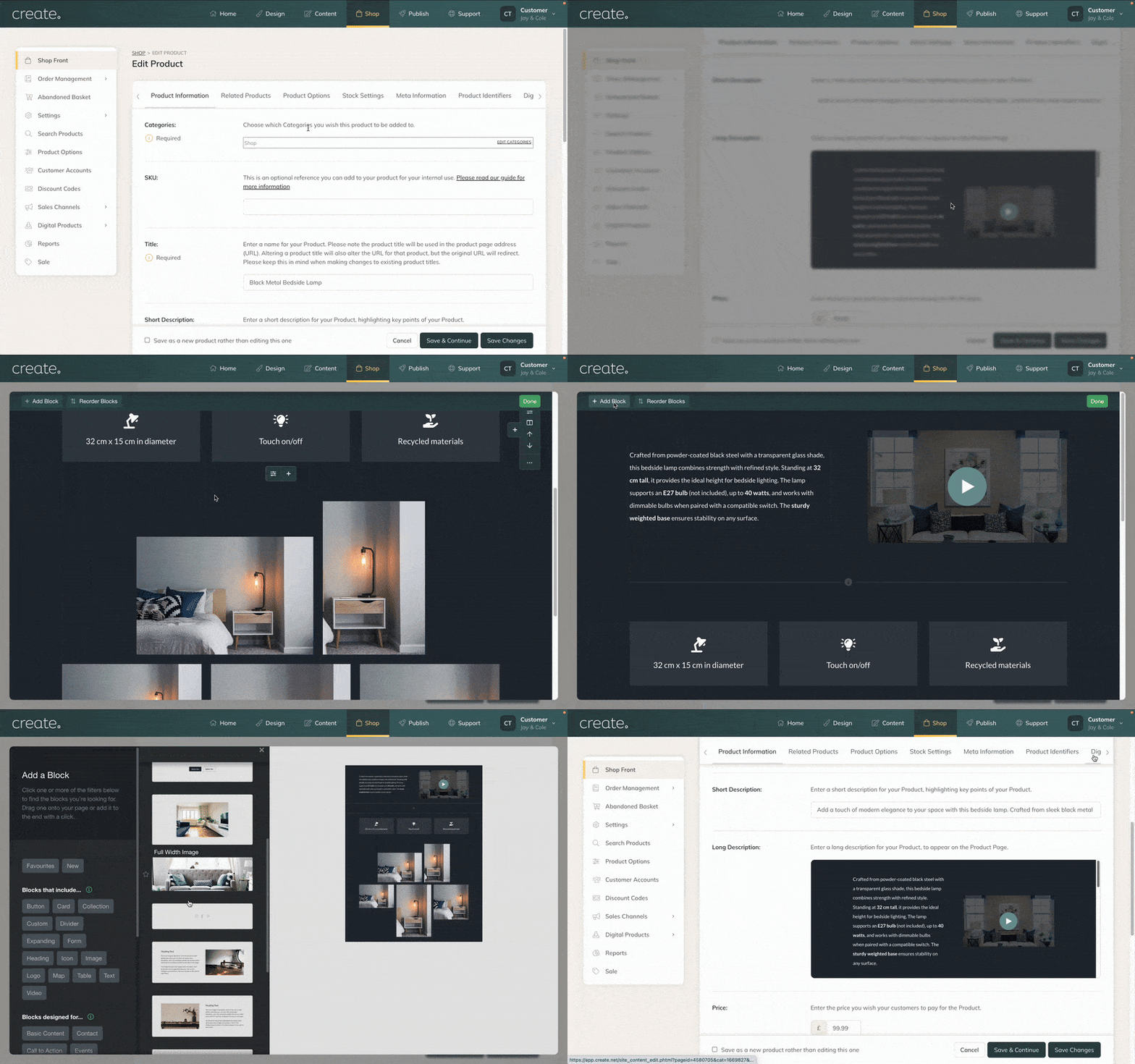
The benefit: New ways to display your product info with the block tools you already know and love.
We are pleased to announce that early access is now ready for you to try out. This will allow for a lot more creativity and design options when making product pages. Specifically, you will be able to use the Blocks in the following areas:
- Shop Front Intro/Outro
- Categories Intro/Outro
- Product Long Description
Your existing products will use the current format you have now, with new listings, supporting the new toolset. (You can go back and redo old products with the new toolset, if you desire.)
Use case: This will allow for much more creativity in your Product descriptions, as well as your shop and category pages, making for a more engaging customer experience. Adding images and content to your Shop main page and Categories will also be easier than ever.
This feature is in early access, with the plan to be rolled out to everyone later this year. But if you would like to try it out early, just drop a message to your Account Manager.
Wrapping Up
These updates are all about giving you more design choices, more options, and more ways to engage with customers.
Got any questions? Your Account Manager is always happy to help you make the most of these features.