

Help Centre
Support > Designing and Building Your Website > Approved CSS Code
How to Add an Announcement Bar
Quickly and effectively communicate important information or promotions to visitors, with a fully customisable announcement bar displayed at the top of your website.
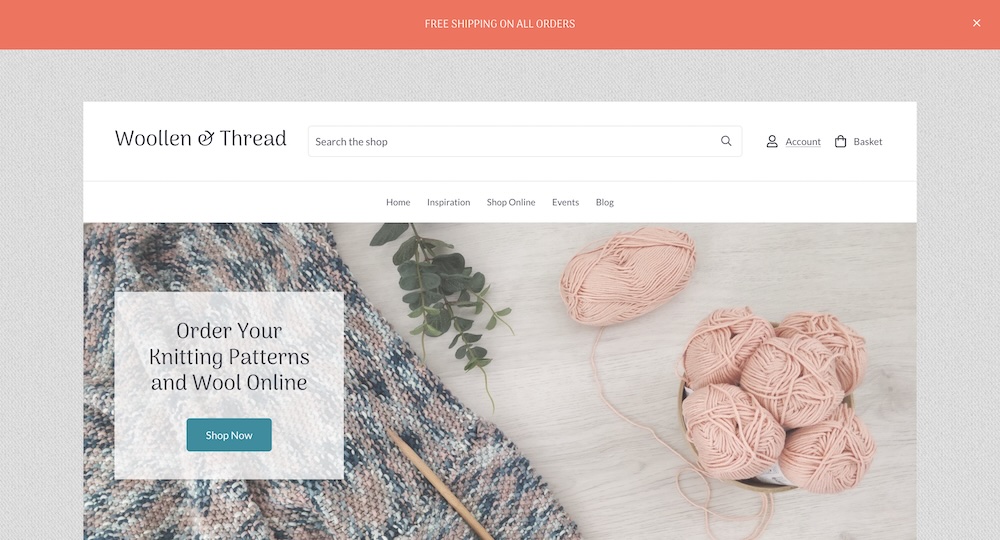
How to set up the announcement bar
Log into your Create account
Click Content on the top menu
Select Integrations & HTML >> Integration Library in the left-hand menu
Select the Announcement Bar option, followed by the Add Integration button
You can then use the below settings to customise your announcement bar:
Description: A reference to the announcement bar shown in the Your Integrations area
Active: Toggle the announcement bar on or off
Accouncement Text: The text that you would like displayed within the announcement bar
Colour Palette: Select between your Default or Contrast colour palettes (set in the Design area)
Announcement Font: Switch between your Heading or Content font (set in the Design area).
Once you've finished customising your announcement bar, click Add Integration
Publish your website to make your announcement bar live!
Related Articles


More Questions?
If you have any further questions, please get in touch and we will be happy to help.
Get in Touch