

Help Centre
Support > Your Account > Your Create Account
Changes To Your Create Login
Over the next few weeks, we will be updating existing Create accounts to a new email login system. Once your account is updated, you will be able to log into that account using an email address, so you no longer need to remember a unique username.
If you have multiple Create accounts, you can update them all to the same email login, so you'll also be able to select and switch between multiple accounts more easily.
This system is already in place for new accounts, and we are bringing existing accounts over to this system gradually.
What To Expect
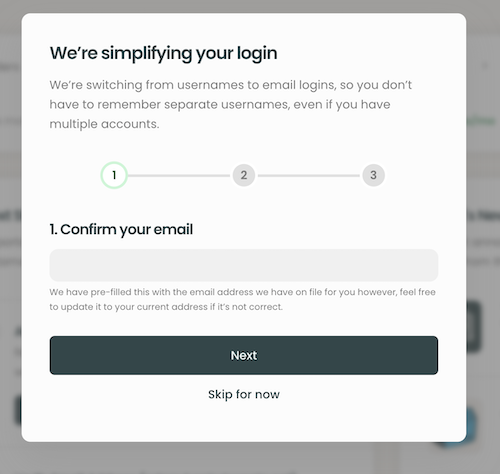
When your account is ready to be updated, you will see a new pop-up notification after logging in as normal. The pop-up is a quick 3-step process as shown in the example below.
Step 1.
The pop-up will be pre-filled with the current email address for your account. But if you wish to change it to a different email, you can do so. This will be the email you will enter to log into the account once updated.
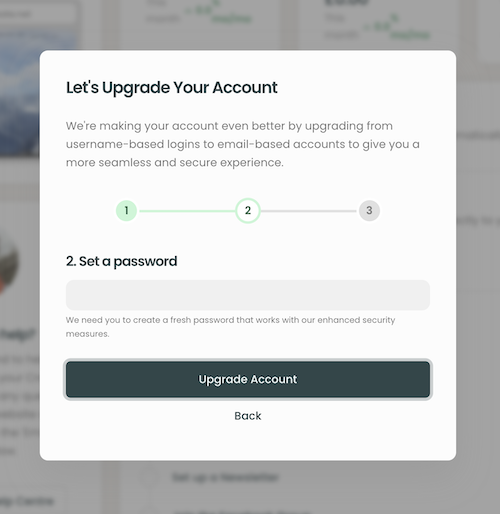
Step 2.
Set a new password for your account. This will ensure your account is secure and an up-to-date password is used.
Click Upgrade Account to proceed with the account update.
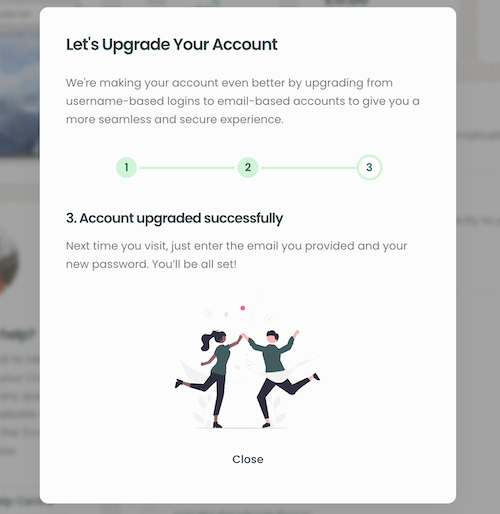
Step 3.
At this stage, your account has now been upgraded. From now on, you will use the email selected along with your new password to log into the account.
Updating Additional Accounts
Once you have updated 1 account (or have recently set up a new account with Create), you will have an email login account.
When prompted to update any additional accounts you have, please use the email and password you have already set up.
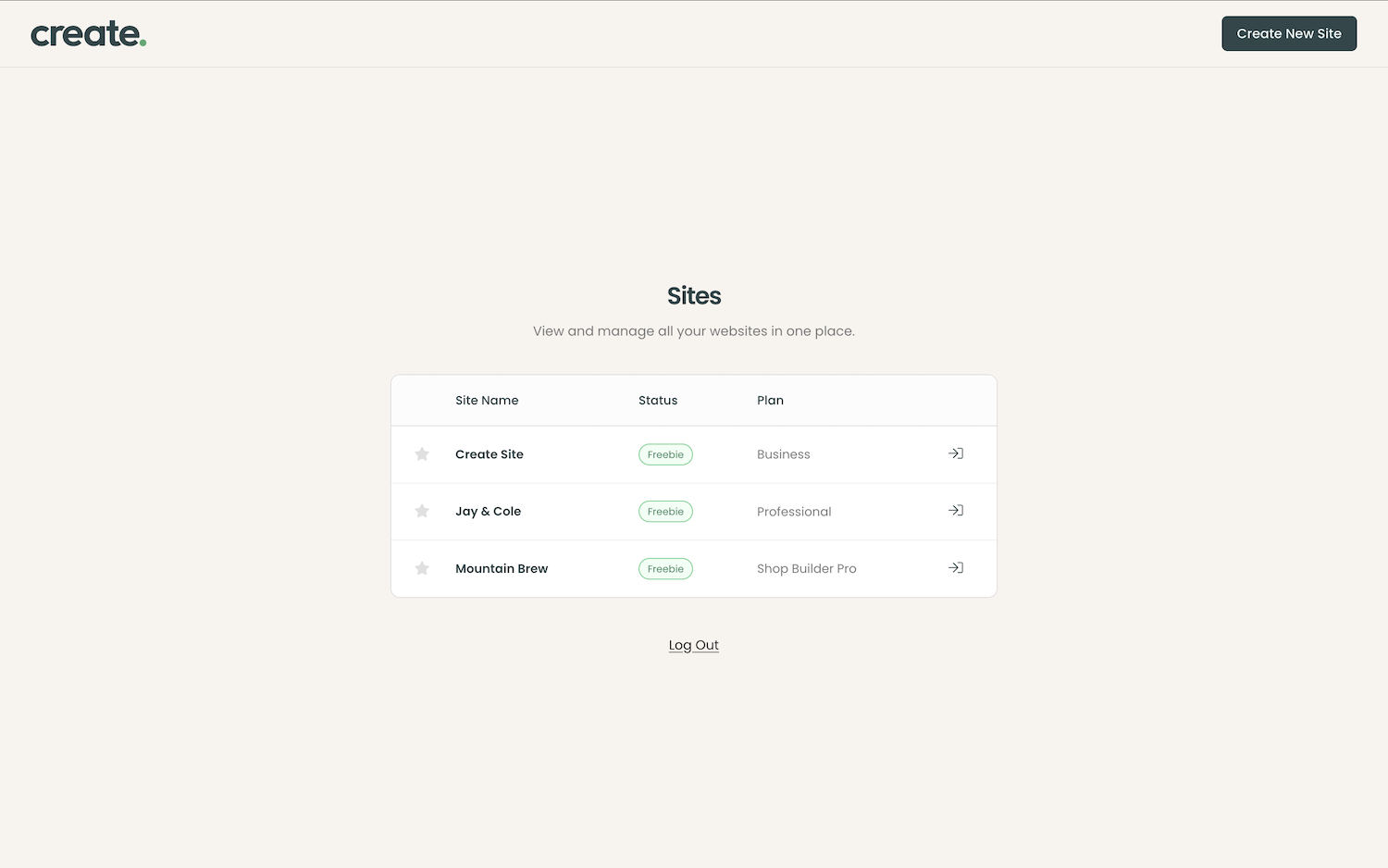
By doing this, all of your accounts will be listed together on a login hub, making accessing multiple accounts much easier. An example of how the login screen will look for multiple accounts is shown below.
Switching Between Multiple Accounts
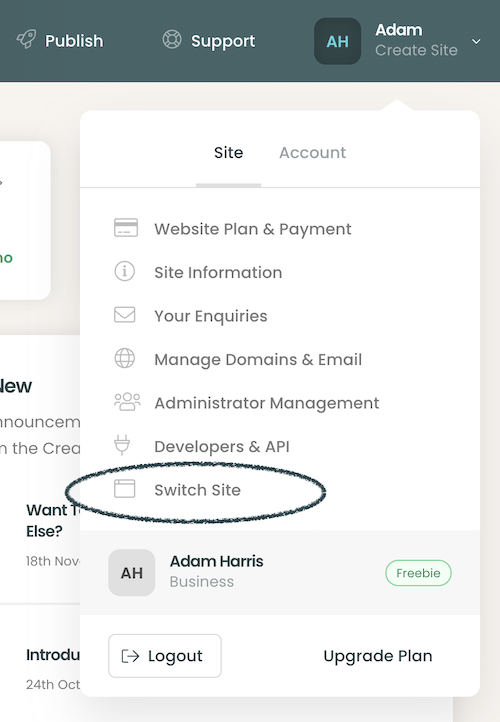
Once you have updated multiple Create accounts to your email login, you can easily switch between them by clicking the account drop-down menu and clicking the new Switch Site option.
Clicking this will take you through to the account login hub, as shown above.
Related Articles


More Questions?
If you have any further questions, please get in touch and we will be happy to help.
Get in Touch