

Help Centre
Support > Designing and Building Your Website > Designing Your Website
How To Use Advanced Form Editing
Create offers a number of preset Form blocks that are great for adding to pages to collect basic information from your website visitors. But there might be instances where you wish to offer a more bespoke form with specific questions and fields. With our Advanced Form Editing, for Professional and above plans, you can add a range of different fields to our Form Blocks to build a very bespoke form for all kinds of different situations.
Our Form Collections feature allows you to add additional text fields, drop-down menus, selectable Radio lists and more. This is ideal if you are looking to collect very specific details from a visitor, along with their enquiry.
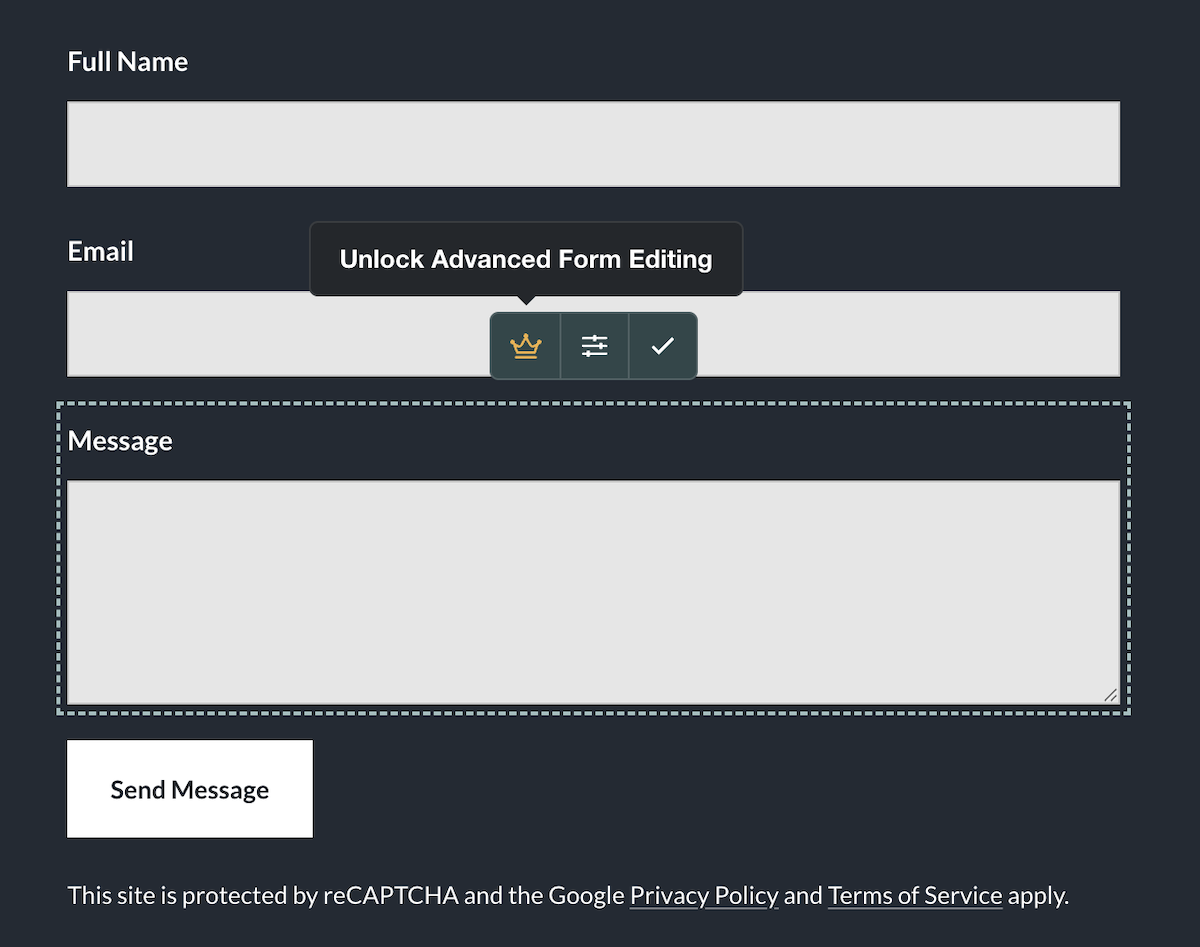
For any of our customers not on our Professional and above plans, you can still use the Form Blocks we offer, but you will not have access to the Advanced Form Editing features to further edit the forms on your current plan.
Form Blocks
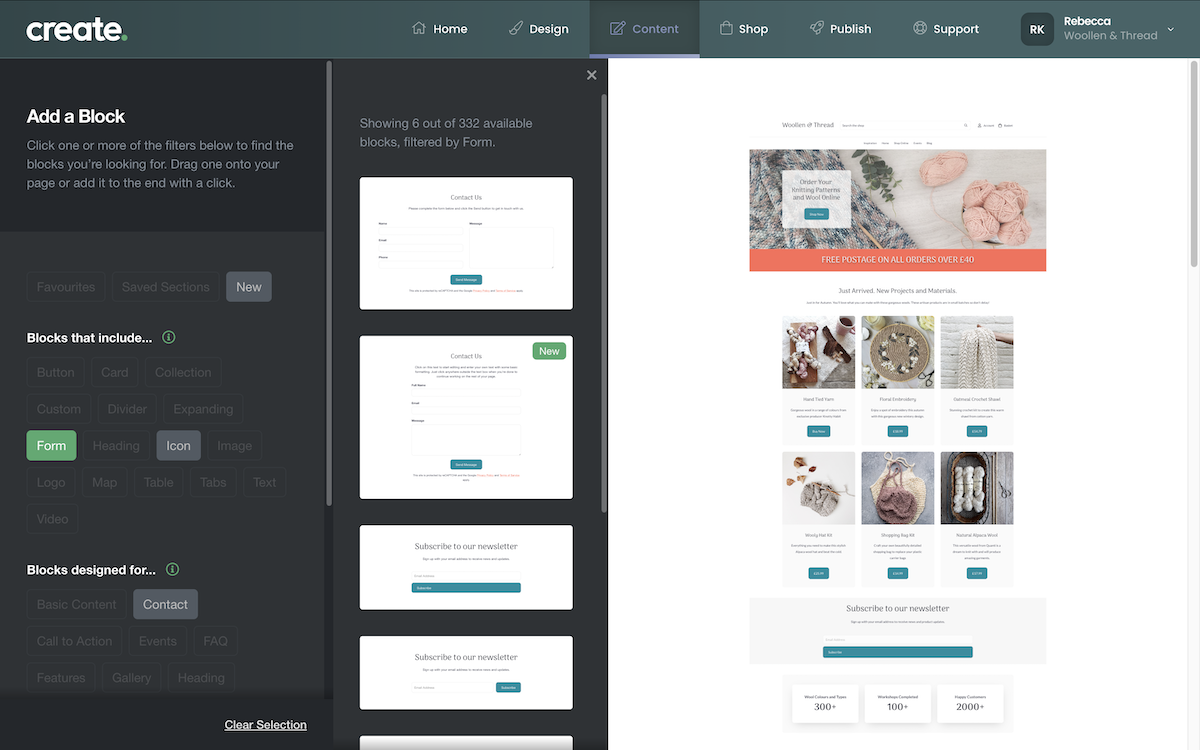
The Form Blocks can be located by opening the Block Selector and selecting the 'Blocks that include' Form filter, as shown in the image below. This will display the range of blocks on offer featuring a form element.
Add your chosen form block to a page as normal.
Customising a Form Block
Once the form is on a page, whilst editing the page, if you are on a Create plan that supports Form Collections, you will see an additional option + symbol to add content to the form with a new Form setting visible.
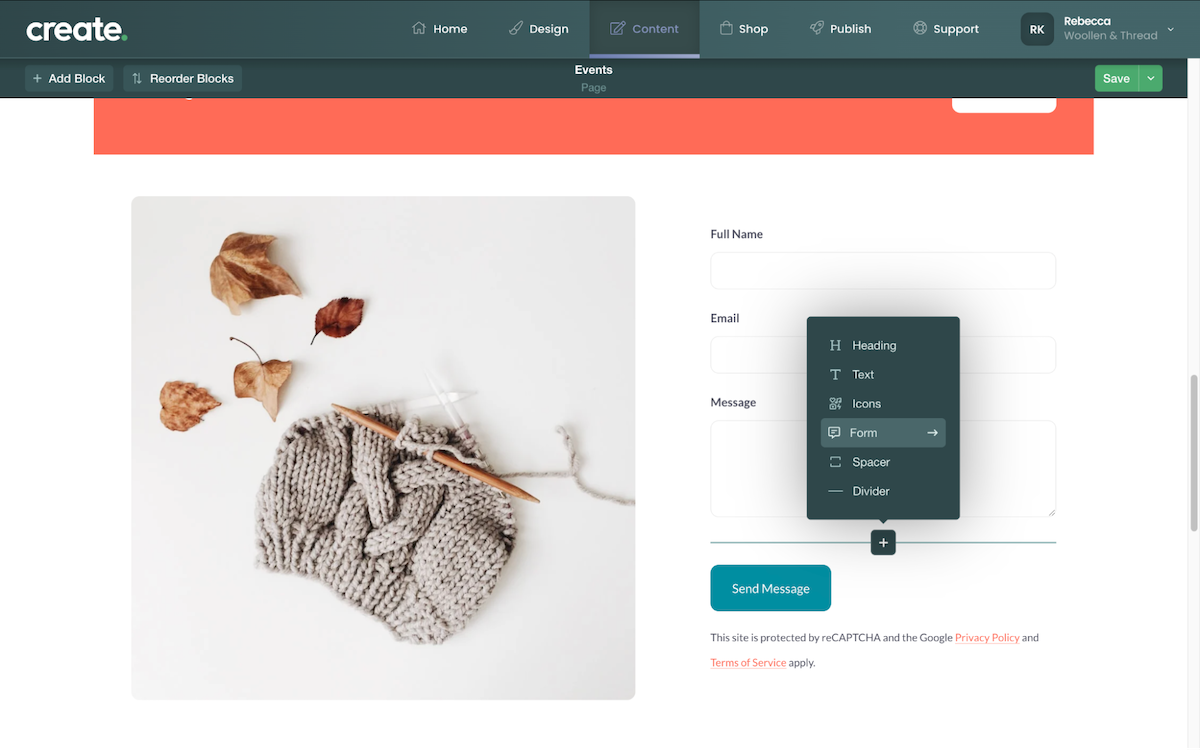
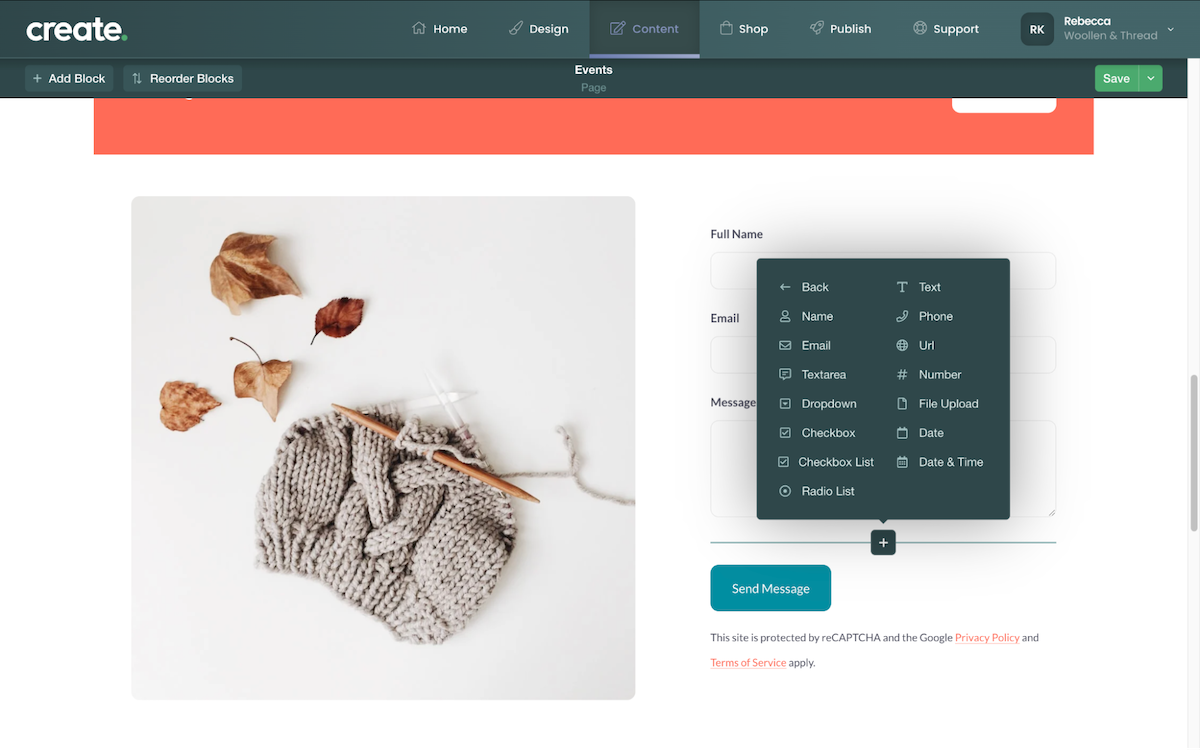
Clicking the Form setting will display a range of different fields you can add.
The Pop-up menu displays all the field types you can add to a form. You can add multiples of any of the fields, allowing you to build a very specific form if required.
After adding a field type, you can edit the field by clicking the Settings icon.
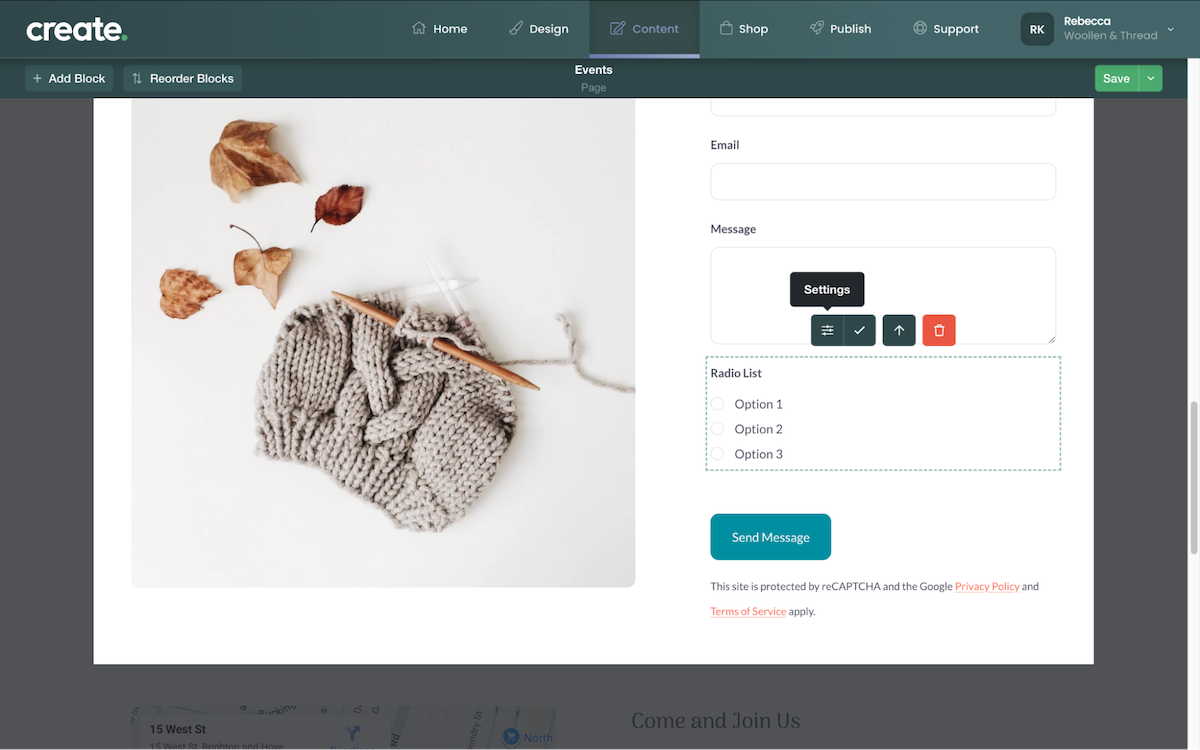
The Settings for that specific field will display, allowing you to name and edit various elements of the field.
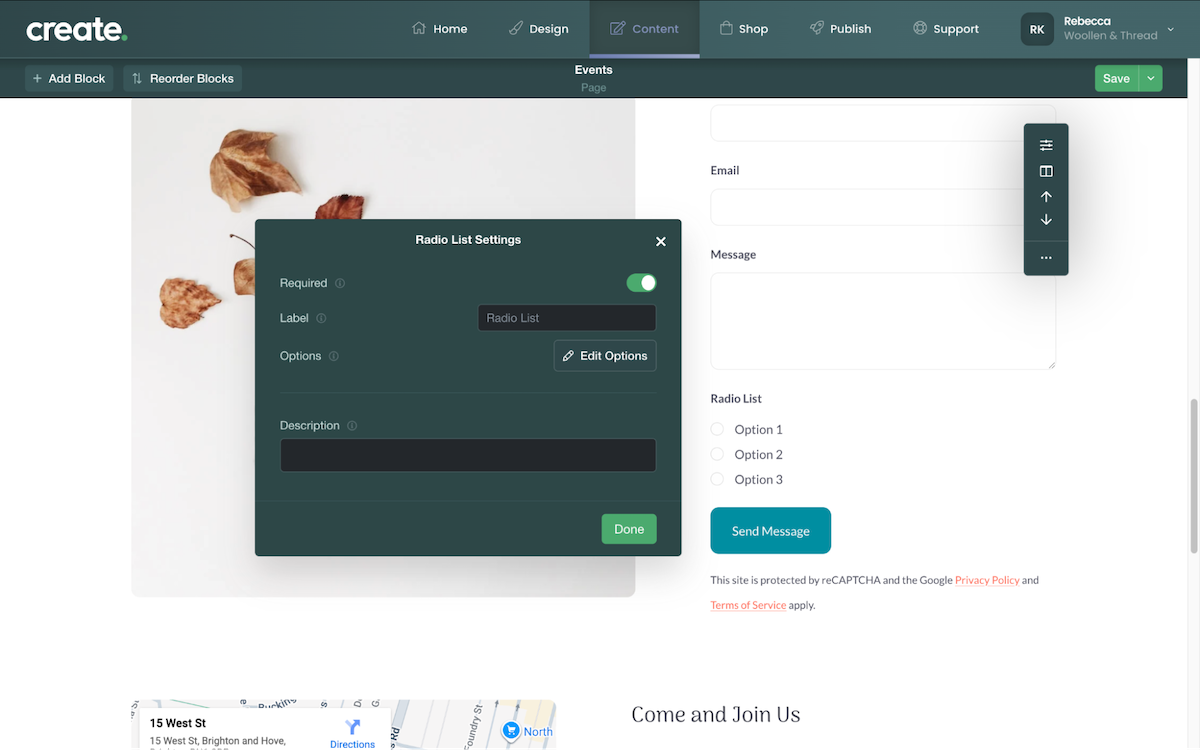
Repeat the above process for any additional fields you need in the form. Once you have built the form as required, make sure to click the Save button to confirm the changes.
Related Articles
Related Articles


More Questions?
If you have any further questions, please get in touch and we will be happy to help.
Get in Touch