

Help Centre
Support > Ecommerce > Categories and Products
How To Use Shop Content Builder Tools
Here at Create, we are excited to announce that Create now supports the Content Builder tools you are familiar with for Pages, in the Shop section of your account.
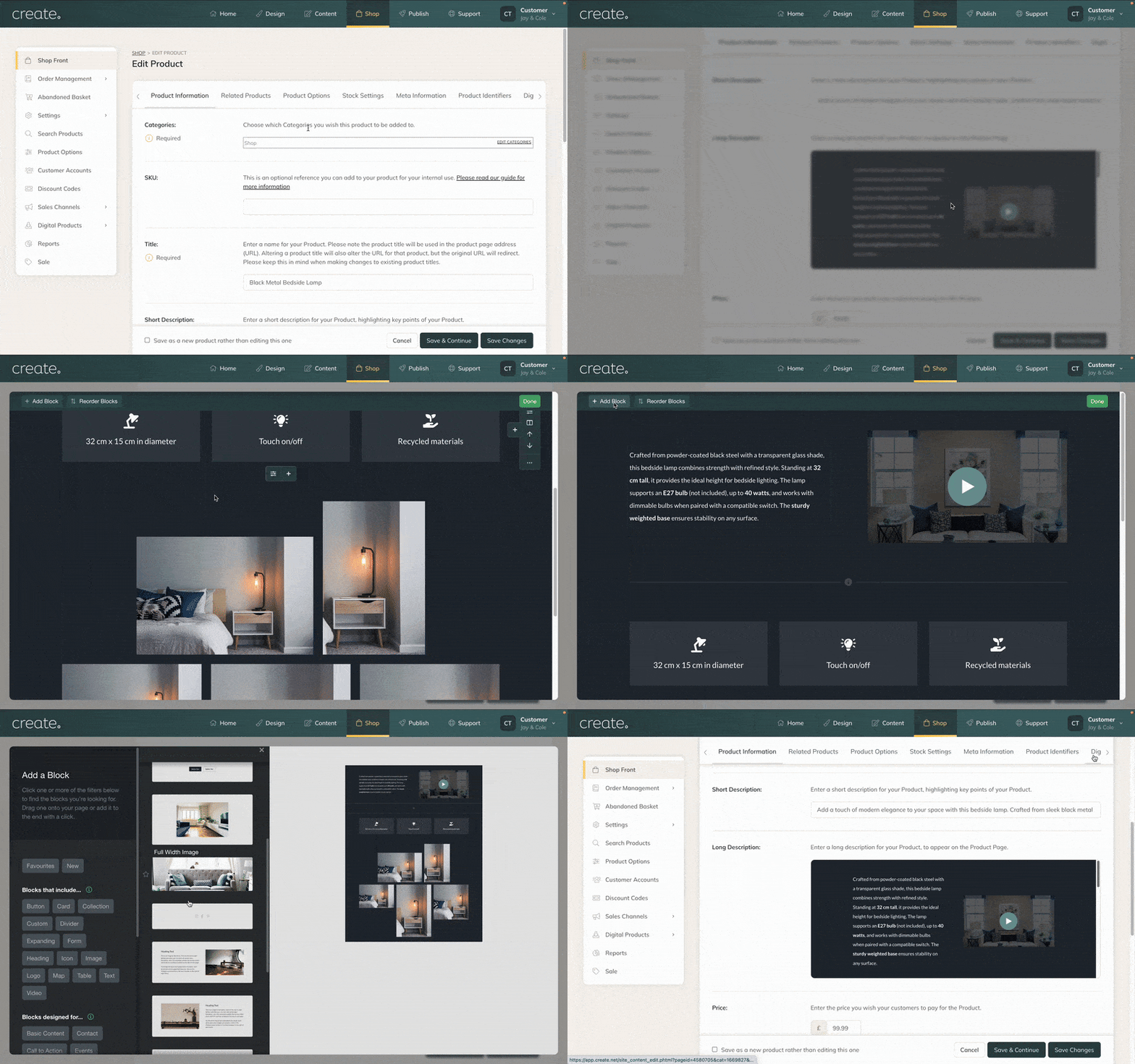
Until now, within the Shop, our classic Text Editor has been the toolset used for Product Descriptions and Categories, allowing for basic text and image content. Now, with the support of our Content Builder tools, all of the blocks you are familiar with when building your Pages are available for use. This will allow for much more creativity in your Product descriptions, as well as your shop and category pages.
Below is an example of Shop with a block being used in the Shop Front Intro and Outro (above and below the products) to communicate different information. The 3 products are using different Content Blocks in the Long Descriptions, resulting in very different looks, showing just a fraction of the different possibilities with Content Builder descriptions.
Demo Shop Category & Products
You will be able to use the Content Blocks in the following Shop areas:
Product Long Description (accessed via Edit Product)

Categories Intro/Outro (accessed via Edit Category)

Shop Front Intro/Outro (accessed via Edit Shop Front button)

The Benefits of Content Builder in the Shop
This feature will allow you to utilise the Long Description area to better showcase your products and services using the Blocks we have provided as part of our Content Builder tools.
Create visually engaging product pages
Use different blocks to get across key information clearly
Showcase your products even better using Image Gallery blocks
Adding videos to your descriptions is easier than ever
Adding images and content to your Shop main page and Categories will also be easier than ever, and allow you to display content you might not have struggled to do so previously with the previous toolset.
Adding images and content to your Shop main page and Categories will also be easier than ever. Allowing you to easily display text and image content, you might have struggled to do so previously with the Text Editor tools.
Shop Content Builder FAQs
Can I still use the legacy Text Editor tools?
At this time, you can opt into using the new Content Builder tools, but it is not currently a requirement. We think the new tools are a vast improvement and would encourage users to make the switch due to all the benefits they offer. Moving forward, this will be the standard method for Product Long Descriptions.
If I opt into this, can I later change my mind and revert to the original toolset?
If you choose to enable the new toolset, it will replace the legacy text editor tools used in the Shop area for any newly listed product descriptions and all categories. But you can access the old toolset by duplicating a product which uses the original tools.
What happens to the product descriptions for my existing products?
Your existing products will still use the legacy text editor tool set. You can edit the descriptions using the same toolset you use now. If you wish, you can remove the existing content and replace it with new content, using the new toolset.
Which areas of the Shop are supporting the new Content Builder tools?
The new toolset is supported in the following areas of the Shop
Product Long Description - this is where you list the core details and information about the product.
Categories Intro/Outro - this is where you can add additional information about the category, which is displayed before/after the products listed in the category.
Shop Front Intro/Outro - this is where you can add additional information for your main shop page, which is displayed before/after any categories you have set up in the Shop.
Related Articles
Related Articles


More Questions?
If you have any further questions, please get in touch and we will be happy to help.
Get in Touch